
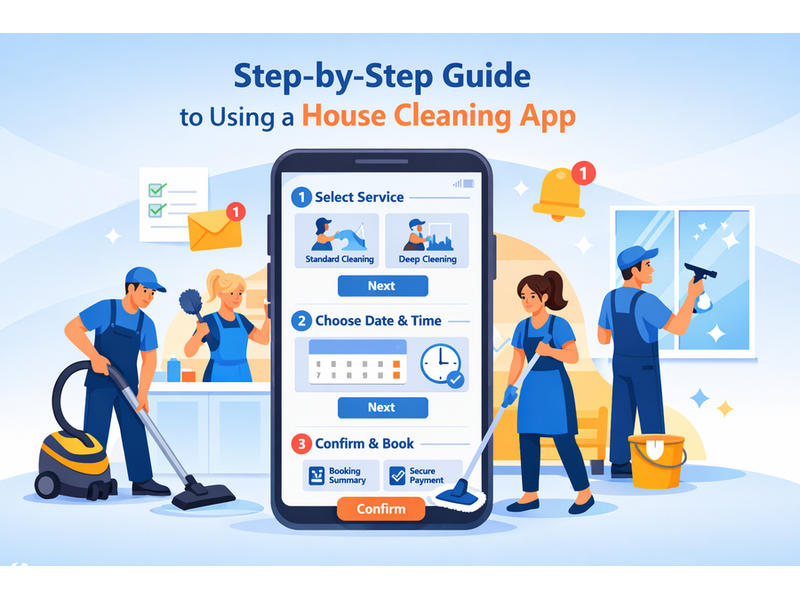
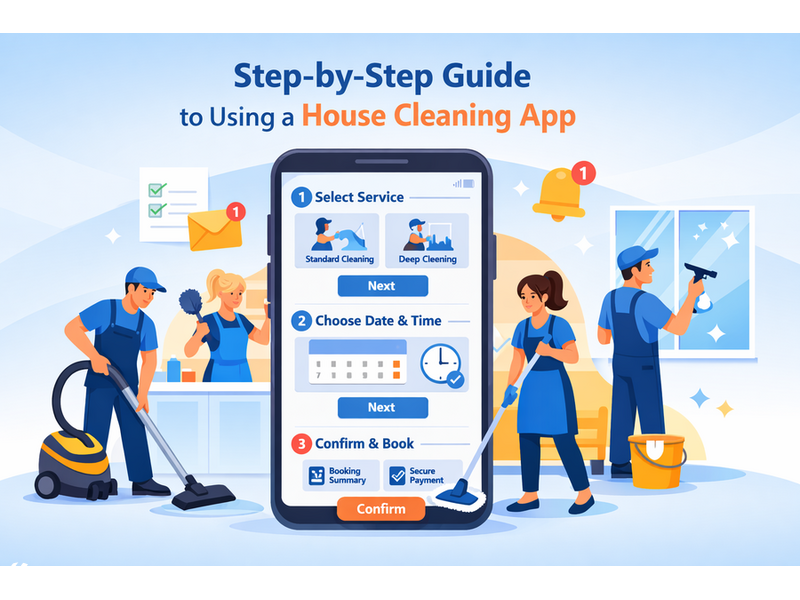
In today's fast-paced world, maintaining a clean and organized home can often feel like a daunting task. Thankfully, house cleaning apps have emerged as convenient tools to help streamline the process of hiring cleaning services. Whether you're seeking a one-time deep clean or regular maintenance, these apps offer user-friendly interfaces, flexible scheduling options, and direct communication with professional cleaners. This step-by-step guide will walk you through everything you need to know about using a house cleaning app, from choosing the right one for your needs to managing your cleaning services effectively. With the right app at your fingertips, achieving a spotless home has never been easier.
Understanding House Cleaning Apps: An Overview
What Are House Cleaning Apps?
House cleaning apps are your digital sidekicks in the quest for a tidy home. Think of them as on-demand cleaning services conveniently packaged in one sleek application. With just a few taps on your phone, you can schedule a cleaner, manage your cleaning tasks, and even customize your preferences—all while wearing pajamas and sipping coffee!
Benefits of Using a House Cleaning App
Why bother with an app, you ask? Well, let’s spill the beans! House cleaning apps save you time, eliminate the hassle of searching for local cleaners, and often allow you to read reviews (because who wants a surprise party with a not-so-great cleaner?). Plus, many apps offer flexible scheduling, transparent pricing, and the ability to manage cleanings from anywhere. Basically, they’re like the Swiss Army knife of house cleaning—minus the chance of cutting yourself!
Choosing the Right Cleaning App for Your Needs
Key Features to Look For
When surfing through the sea of cleaning apps, keep an eye out for features that match your cleaning style. Look for user-friendly interfaces, robust booking systems, customizable cleaning options, and secure payment methods. Ideally, you'd want an app that lets you rate your cleaner—after all, your mother taught you not to be shy about giving feedback!
Comparing Popular House Cleaning Apps
With many cleaning apps swarming the app store, it’s worth doing a bit of detective work. Popular contenders often include TaskRabbit, Handy, and Cleanly. Compare their pricing, available services, and user reviews to see which one fits your vibe. You want an app that feels like a high-five on a stressful day, not a cold fish handshake!
Setting Up Your Account: A Step-by-Step Process
Downloading the App
First things first: grab your phone and hit the app store (whether it be Apple or Android, we don’t judge). Search for your chosen cleaning app, tap the download button, and let the magic happen. Once it’s downloaded, open the app and get ready to unleash the cleaning powers!
Creating Your Profile
Now, let’s get personal! You’ll need to create an account—this usually involves providing your email, phone number, and sometimes even a cheeky profile picture. Trust us, it’s worth the effort! Having a profile makes booking easier and allows your cleaner to get a peak at your cleaning preferences. Just remember: no selfies in a messy room!
Entering Your Address and Preferences
Next, it’s time to spill the beans on where all the cleaning action will take place. Enter your address (don’t worry, it’s like a second home for your cleaner). You’ll also have the chance to specify your cleaning preferences—do you want a deep clean or a quick tidy-up? Pets, kids, or the occasional food explosion? Let the app know so it can pair you with the perfect cleaning hero.
Navigating the App Interface: Key Features Explained
Dashboard Overview
Welcome to your cleaning command center! The dashboard is your go-to spot for everything cleaning-related. Here, you can view upcoming appointments, request new cleanings, and even read reviews about your previous cleaners. It’s like the control room for your home’s cleanliness level!
Understanding the Booking System
Booking a cleaner should feel as exhilarating as clicking “Add to Cart” during a shopping spree. Brace yourself, you’ll typically select a date, time, and cleaning type. Some apps even let you opt for recurring cleanings—like a subscription, but for cleanliness! Just follow the prompts and you’ll be golden.
Accessing Cleaning Services and Options
Curious about what services are available? Navigate to the services section of the app to explore options like deep cleaning, post-party cleanup, or moving cleanings. Each service should come with a detailed description (and possibly a price tag). Select what tickles your fancy, and get ready to sit back while someone else does the hard work. Cheers to that!
Scheduling Your Cleaning Services: Tips and Tricks
Choosing the Right Date and Time
Finding the perfect date and time for your cleaning session can be as tricky as scheduling a dentist appointment during a pandemic. First, check your calendar for any upcoming events, meetings, or surprise visits from your in-laws. Look for a time that suits your lifestyle — if you’re a night owl, maybe opt for those later slots. Don’t forget to leave some buffer time before and after the cleaning, because let’s be honest, you might need those extra minutes to hide your clutter!
Recurring vs. One-Time Services
Deciding between a one-time cleaning and a recurring service is like choosing between a single scoop of ice cream or a sundae with all the toppings. If your home resembles a tornado zone on a regular basis, a recurring service might be your best bet. However, if you’re just preparing for a big gathering or need a quick refresh, a one-time service will do the trick. Many apps offer attractive packages, so channel your inner bargain-hunter when making your decision!
Adjusting Your Schedule as Needed
Life is unpredictable — right when you think you’ve got your cleaning schedule locked in, someone spills coffee on your freshly-cleaned couch (thanks, John!). Most cleaning apps allow you to reschedule your service with just a few taps, so keep your schedule flexible. Check if there are any cancellation policies to avoid unnecessary fees, because nobody wants to pay for a cleaning service they didn’t get!
 Loading